
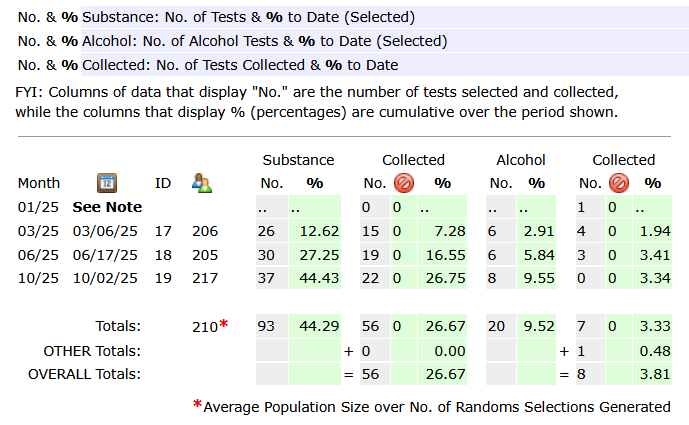
For a consortium or a stand alone pool, a statistics report showing the percentage of participants selected and the percentage of tests collected for both the drug and alcohol test. The percentages are based on the average number of participants who participated in random selections for the year specified.
For a consortium report, choose the consortium in the drop down on the main screen and click the report icon  to the right. For a stand alone pool, search for the company and tap its report icon .
On the report page, set the year for the report:

Further down the page, tap the report:

The report shows the percentage selected and collected for each random selection for the year specified.
There are four columns of numbers. Under the first column, Substance, the displayed values reflect the number of participants selected (accumulating with each random) and the percentage collected. The second column, Collected, represents the number of tests collected and the corresponding percentage. The two columns for the alcohol test report the number selected and percentages similarly as for the substance test.
Periodically through the year you can send a report to all clients regarding their random selection tests that have not yet been reported as collected and the results of each. On the main page, tap the results menu. From the results page, tap the option 10.a NOT Collected (it conveniently presents a year to select – the report page will provide more options if needed).
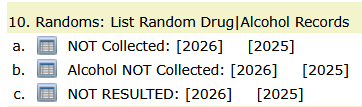
For 2025, below you will find an example of the NOT Collected report.
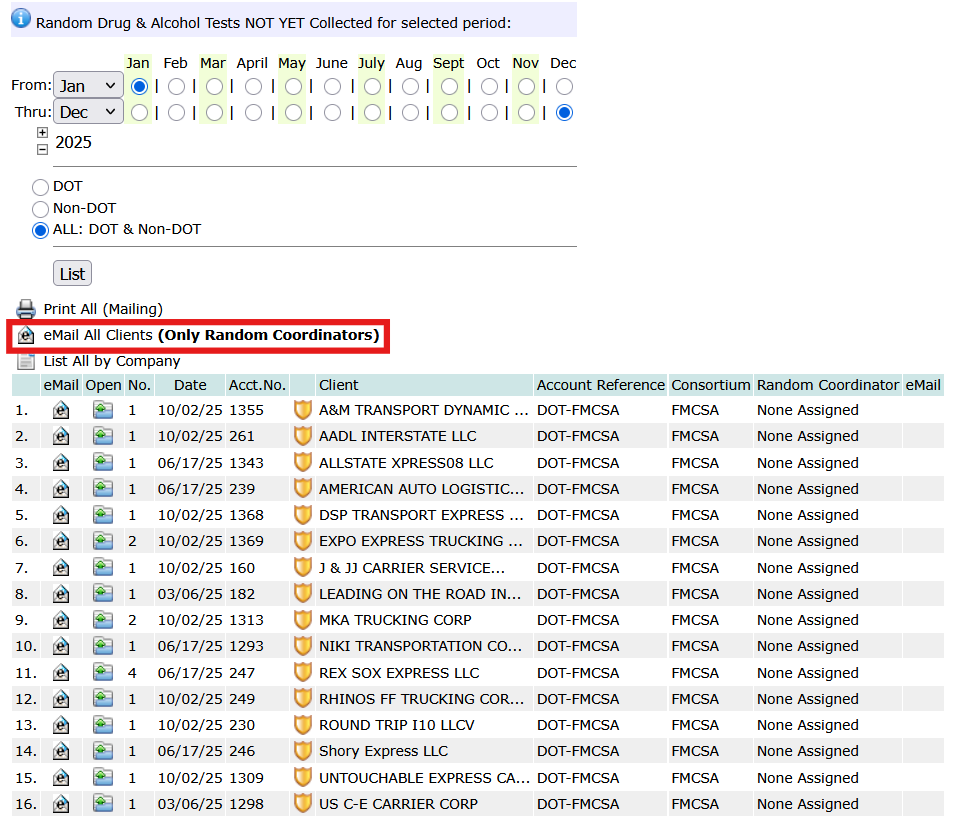
Tap the email icon (outlined in red) to send an email report to every company. Or tap the email icon for each account to send it individual to the contact. Every account requires a Random Coordinator (someone assigned to the account and mark as Random Coordinator). Click the open icon on each line to see the tests (substance and/or alcohol) that have not been completed. Tap the option List ALL by Company (immediately under the red outlined email option) to see a list of all uncollected tests with the participant’s name, their company, and the tests that have not been collected; substance and/or alcohol.
A Practical Approach to Managing Random Testing Statistics
When reviewing annual random selection statistics, it’s important to consider how those numbers were built over time. Consistency in selections, accurate employee pool management, and timely record keeping all contribute to reliable results.
Rather than relying solely on end-of-year calculations, many program administrators benefit from monitoring testing activity throughout the year. This approach helps ensure that required percentages are being met and reduces the likelihood of unexpected discrepancies.
DrugTestNetwork supports this ongoing visibility by organizing testing data in one place and providing tools for managing selections, tracking activity, and reviewing program performance as it develops.
A steady, well-managed process ultimately leads to more accurate reporting and a stronger, more defensible testing program.