
To list a company’s participants selected in earlier random selections:
- Search for the company
- Click the List Randoms icon for the account:


When the list random page opens, enter the dates that cover the period the random selections were generated. The example below shows random selections for 2025 for the account LB Cargo, and each random was conducted for the consortium named FMCSA Consortium: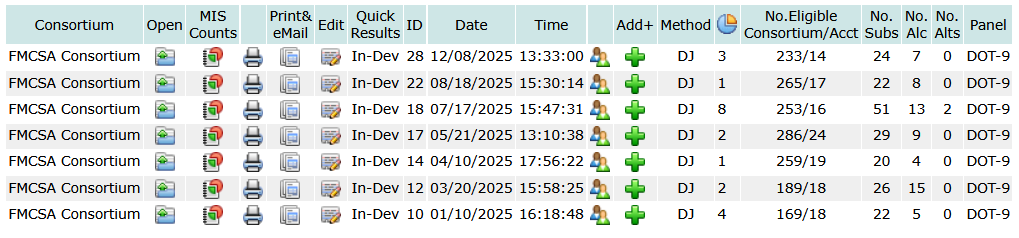
To open the list of participants selected for the random generated on 12/08/2025, click the Open icon  .
.
When the page opens it will all the participants selected from the account. In this case, it will only include the paricipants selected for the account and not the full list of participants from all members of the consortium. To print the page type [Ctrl]-P. To get a list of all participants selected across all the consortium members, list the randoms for the consortium: on the main page choose the consortium in the drop down list of consortia and click the list randoms icon for the selected consortium.
You will find other report options on the page. With every report option to print a hard copy type [Ctrl]-P.
DrugTestNetwork/RandomWare features comprehensive random selection utilities to pick participants for drug and alcohol testing to comply with drug free workplace policies or to stay in compliance with US DOT (Department of Transportation) regulations. The application features resources to generate random selections from stand alone pools or a consortium of multiple companies. Specify annual percentage targets, for stand alone pools or consortia, and the the random selection control will automatically keep the selections on track so you will hit the annual target of participants required for both the drug and the alcohol tests.