Random Periodic Drug Testing Strategies: Individual, Color-Coded, and Horizon-Based Scheduling
In modern drug and alcohol testing programs—particularly those supporting rehabilitation, drug court, family court, DOT compliance, and employee assistance programs—effective scheduling is critical. Testing must be random, defensible, scalable, and operationally practical.
Often, scheduling approaches often fall short when programs expand or when participant requirements vary. DrugTestNetwork (DTN) introduces a comprehensive framework that automatically generates periodic testing dates to adapt to multiple program models, ensuring both compliance and efficiency.
This article outlines the core scheduling methodologies available within DTN, including:
- Individually scheduled periodic testing
- Color-coded group testing
- Fixed-date program scheduling
- Open-ended horizon-based scheduling
- Constraint-based randomization and failure handling
1. Individually Scheduled Periodic Testing
Individually scheduled testing generates a unique set of randomized test dates for each participant based on defined parameters:
- Frequency (nDays) — number of required tests
- Timeframe — number of days in the testing window
For example, a 2/14 configuration requires two test dates within every 14-day window. Each participant’s schedule is generated independently, ensuring:
- Maximum randomness
- Even distribution of testing volume
- Reduced risk of predictable patterns
This model is particularly effective when participants report to a single clinic or limited number of collection sites, as it prevents operational bottlenecks caused by concentrated testing volume.
2. Color-Coded Testing (Group Scheduling)
Color-coded testing introduces a group-based scheduling model where a predefined set of randomized dates is generated for a Color Code (e.g., Red, Blue, Green).
Participants assigned to a color inherit that color’s schedule, meaning:
- All participants with the same color test on the same dates
- Administrative overhead is significantly reduced
- Scheduling becomes standardized across groups
This model is highly effective in distributed environments where participants report to multiple clinics across a region, city, or state. However, it requires careful planning when participants share a single collection site, as simultaneous testing requirements may exceed capacity.
3. Fixed-Date Program Scheduling (Start/End Defined)
Many rehabilitation and court-ordered programs operate within a defined enrollment period. DTN supports fixed-date scheduling based on:
- Program Start Date
- Program End Date
Within this window, the system generates all required test dates according to the participant’s frequency and timeframe configuration.
This approach ensures:
- Full coverage of the program duration
- Compliance with court or clinical requirements
- Clear visibility into all upcoming obligations
Fixed-date scheduling is commonly used in:
- Drug court programs
- Family court monitoring
- Structured rehabilitation timelines
4. Open-Ended Scheduling with Extended Horizons
Not all participants have a defined program end date. For these cases, DTN introduces horizon-based scheduling, where test dates are generated forward into the future without requiring a fixed end date.
A configurable horizon (e.g., 90 days, 6 months) ensures that participants always have upcoming scheduled tests while avoiding unnecessary long-term projections.
With Nightly Extension enabled:
- The system automatically extends future dates as time progresses
- Participants never “run out” of scheduled tests
- Administrative intervention is minimized
Additional logic prevents excessive generation by skipping participants whose schedules already extend sufficiently into the future.
5. Dynamic Rescheduling and Parameter Changes
When a participant’s testing requirements change—such as frequency or timeframe—DTN treats the update as a new scheduling profile.
The system:
- Deletes all future scheduled dates (typically from tomorrow forward)
- Regenerates dates using the updated parameters
This ensures:
- Consistency with current program requirements
- No overlap or conflict with prior scheduling logic
- Clean transition between testing protocols
6. Constraint-Based Randomization
DTN’s scheduling engine incorporates real-world constraints to ensure both compliance and practicality:
- Exclusion of specific days (e.g., weekends or holidays)
- Exception calendars (e.g., clinic closures, holidays)
- Non-consecutive day rules
- Daily capacity balancing across participants
These constraints are applied during date generation to produce schedules that are both random and operationally viable.
7. Failure Handling and Audit Transparency
In certain scenarios, it may not be mathematically possible to generate all required test dates within a timeframe due to constraints.
Rather than failing silently, DTN:
- Logs the issue with detailed reason codes
- Continues generating remaining viable dates
- Provides reporting for administrative review
This ensures transparency and allows program managers to take corrective action when necessary.
8. Operational Efficiency and Industry Impact
The combination of individual scheduling, color-coded grouping, and horizon-based automation positions DTN as a comprehensive solution for modern testing programs.
Key benefits include:
- Scalable scheduling across thousands of participants
- Reduced administrative overhead
- Improved clinic load management
- Enhanced compliance with regulatory and judicial requirements
- Defensible randomization methodologies
Whether managing a small rehabilitation program or a large multi-site testing network, DTN provides the flexibility and control required to maintain both efficiency and integrity.
Conclusion
Periodic drug and alcohol testing is no longer a one-size-fits-all process. Programs vary in size, structure, geography, and compliance requirements.
By supporting multiple scheduling strategies—including individual randomization, group-based color coding, fixed program timelines, and automated horizon extension—DTN enables organizations to design testing protocols that align with their operational realities.
This flexibility, combined with robust constraint handling and audit transparency, establishes DTN as a leading platform in the drug testing and rehabilitation monitoring industry.

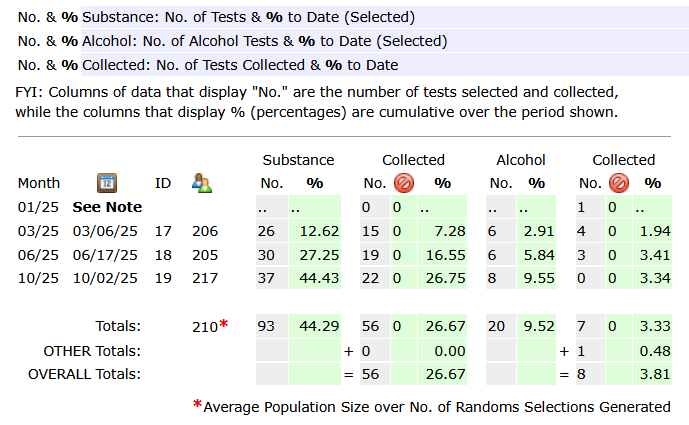
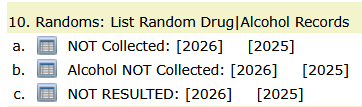
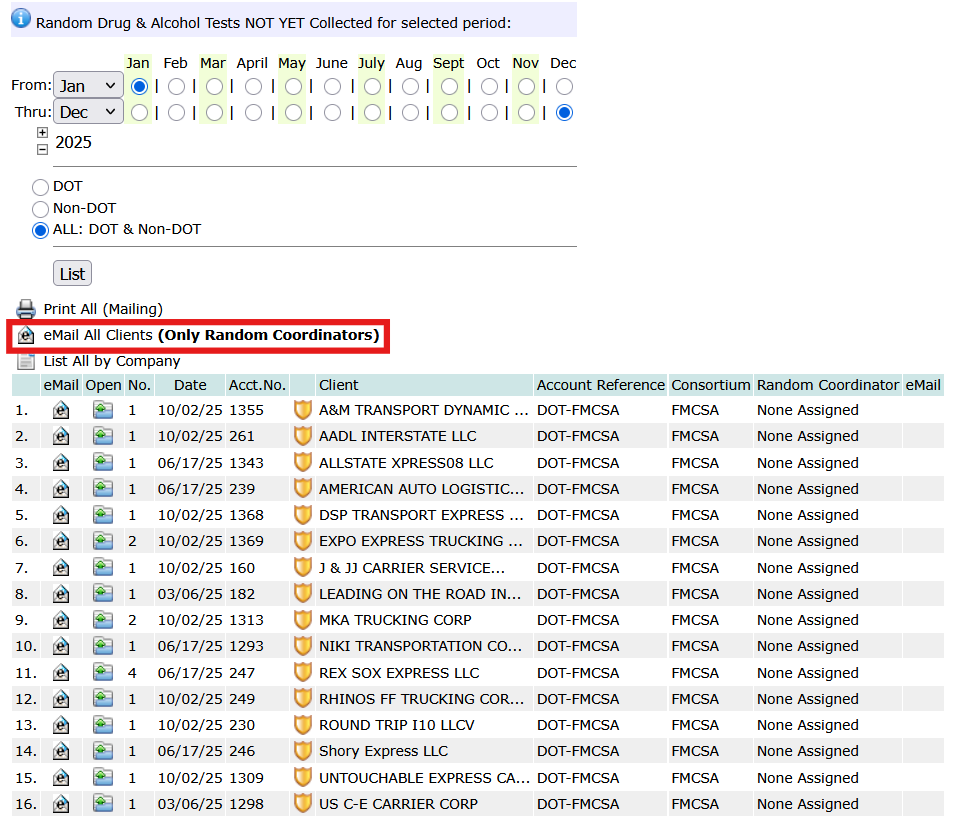
 to the right. For a stand alone pool, search for the company and tap its report icon




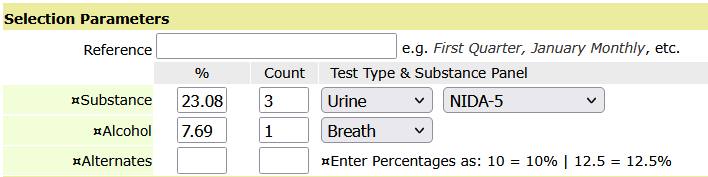
 for Janatorial Staff:


 .
.








 Open Participant’s Dashboard
 Open the Profile Editor to manage profile details, change status: Active, Not-Active, Pending