
Contacts (client representatives) can be assigned to multiple accounts under the client, or to accounts under another client.
In the example below the client, Auburn Flight Service (AFS), has 5 accounts. To manage account assignments for a contact under AFS, tap the Client-Mgt icon (outlined in red) in the screenshot below:
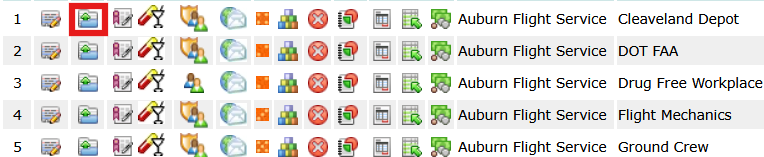
Tapping the icon opens the Client-Mgt window shown below.
Tap the Contacts button on the left. In this example, AFS has two contacts: Adam Douglas and Jamelle Garcia. Jamelle is an Admin contact, and by virtue of being an admin contact she can see all 5 AFS accounts when she logs into the client portal. Adam is designated as a DER contact and only has access to accounts assigned to him. To assign other accounts to Adam, tap the assign icon (outlined in red).
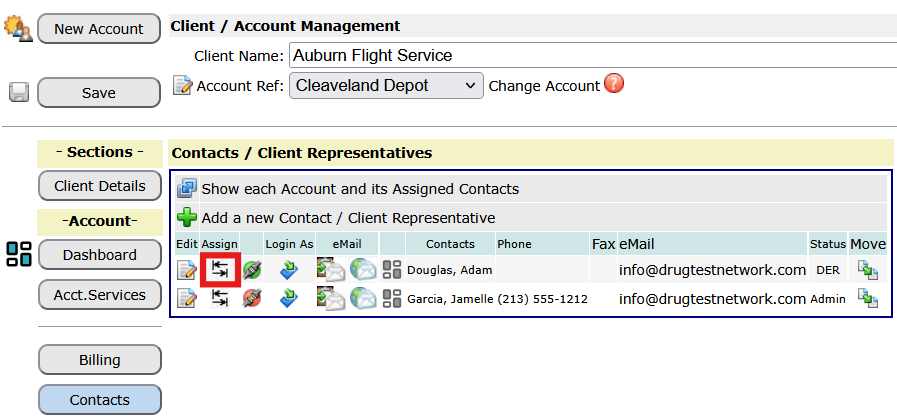
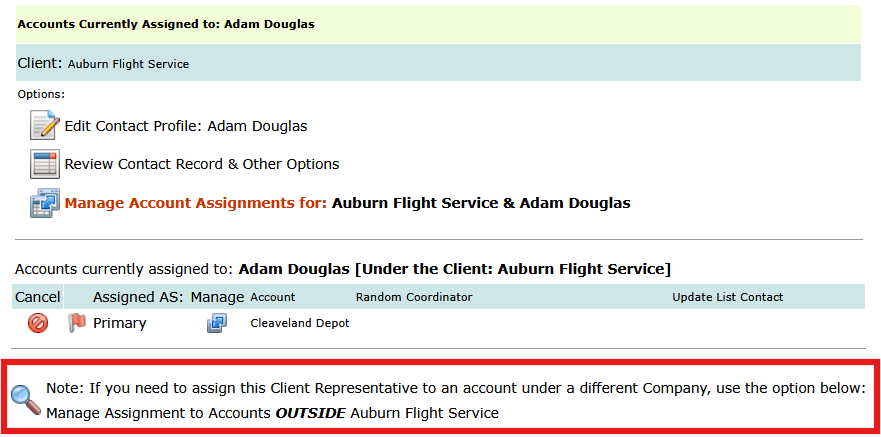
Tapping the assign icon opens the assignment module and shows the account(s) currently assigned to Adam. To add or change assignments tap the option outlined in red below: Manage Account Assignments.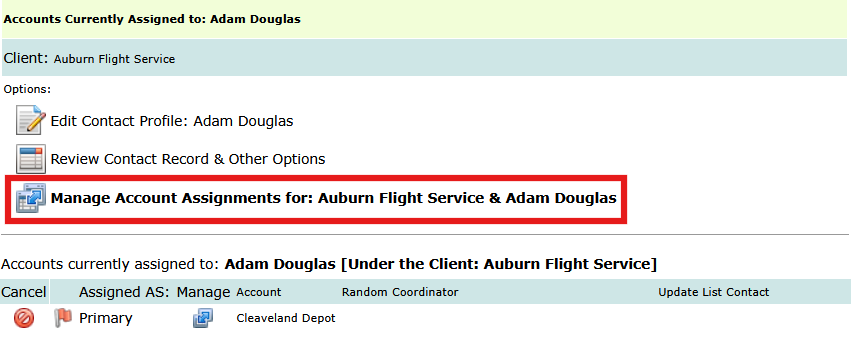
The next page, in the screenshot below, the line highlighted in yellow shows that Adam is assigned to the Cleaveland Depot account. If you check the boxes for the two other accounts, Drug Free Workplace and Ground Crew, and click the submit button (not shown in this screenshot) Adam gets assigned to these two accounts. Note: if you uncheck the box for Cleaveland Depot, Adam would be unassigned from that account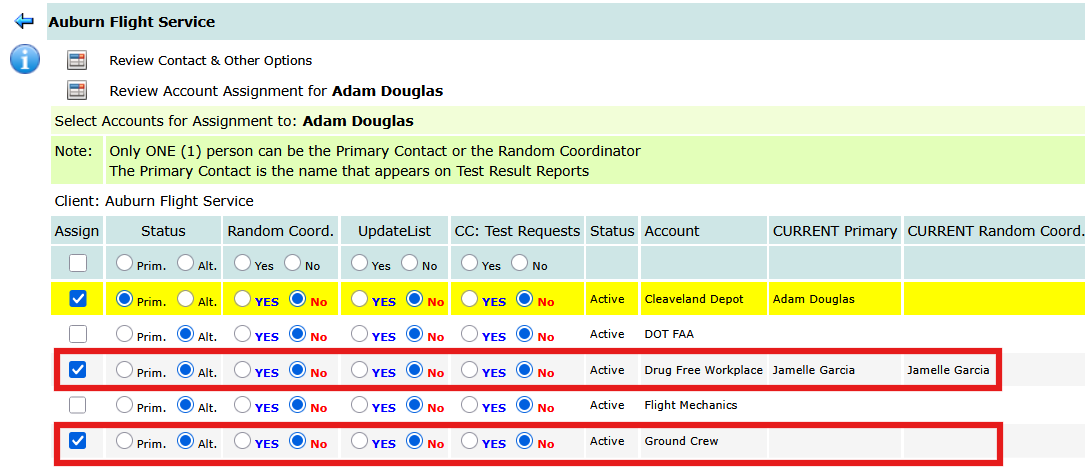
To assign Adam to accounts outside Auburn Flight Service, tap the option Manage Assignments to Accounts OUTSIDE Auburn Flight Service as outlined in red below (this is the page after you clicked on the assign icon outlined earlier in this article):
The new page will allow you to search for the other client. In this example, we searched for clients with the name Community. As shown below, the box is checked for Community Recovery LA [Clinical Employees]. Click the icon preceding the text Assign Selected Account to Adam to complete the assignment (outlined in red below):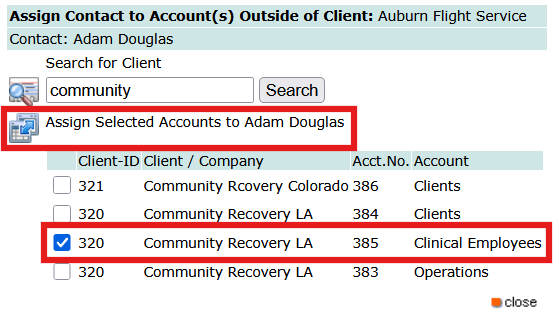
After the icon is tapped, Adam will be assigned to the Community Recovery LA account and the accounts originally assigned under Auburn Flight Service too.