Defining Drug Test Panels: Laboratory Codes, Cutoff Levels, and Expanded Substances
Understanding Drug Test Panel Definitions
When defining a drug test panel in DrugTestNetwork (DTN), it is important to accurately identify the laboratory’s panel code, the substances being tested, and the screening and confirmation cutoff levels associated with those substances.
A laboratory may offer several panels that test for the same drugs but use different cutoff levels. Therefore, a panel’s substance list alone does not fully identify the laboratory panel.
DrugTestNetwork allows subscribers to define drug test panels according to the laboratory’s specifications, while providing flexibility in how individual substances are represented when results are reported.
This tutorial uses three Quest Diagnostics drug test panels to explain:
- Why laboratory panel codes and cutoff levels are important.
- How to define a standard panel using primary drug classes.
- How to define an expanded panel that includes individual substances.
- How to report individual positive substances without expanding every panel definition.
1. Laboratory Panel Codes and Cutoff Levels
Each laboratory panel has an identifying code that corresponds to a particular testing specification.
For example, Quest Diagnostics identifies one of its DOT drug testing panels as:
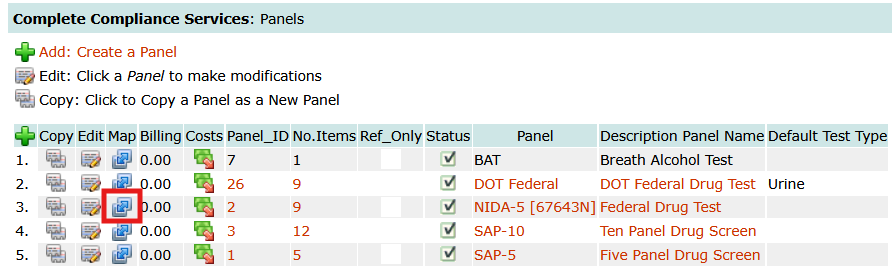
67643N — DOT Drug Panel
The panel specification identifies the substances tested and their associated cutoff levels.
Two cutoff levels are particularly important:
Initial Test (Screening) Cutoff
The cutoff level used during the initial screening process to determine whether additional testing is required.
Confirmation Cutoff
The cutoff level used during confirmation testing to identify and measure specific substances.
Cutoff levels are ordinarily expressed in nanograms per milliliter (ng/mL) for urine drug testing.
The screening and confirmation cutoff levels are not necessarily the same.
For example, the Quest 67643N panel specifies:
| Substance |
Screen Cutoff |
Confirmation Cutoff |
| Amphetamines |
500 ng/mL |
— |
| Amphetamine |
— |
250 ng/mL |
| Methamphetamine |
— |
250 ng/mL |
| Cocaine Metabolites |
150 ng/mL |
100 ng/mL |
| Marijuana Metabolites |
50 ng/mL |
15 ng/mL |
Amphetamines is the primary drug class, with a screening cutoff of 500 ng/mL. Amphetamine and Methamphetamine are individually identified in the specification with confirmation cutoffs of 250 ng/mL.
Important: These cutoff levels are specific to the Quest panel code 67643N. Another laboratory panel containing these same substances may use different cutoff levels.
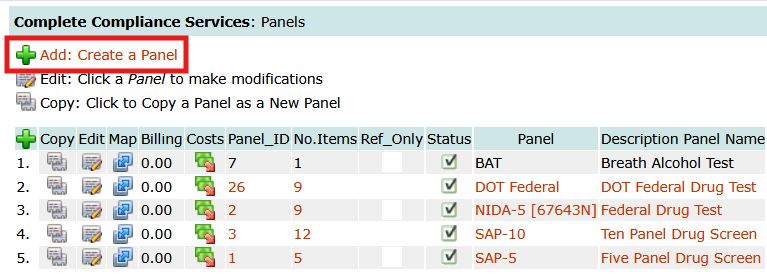
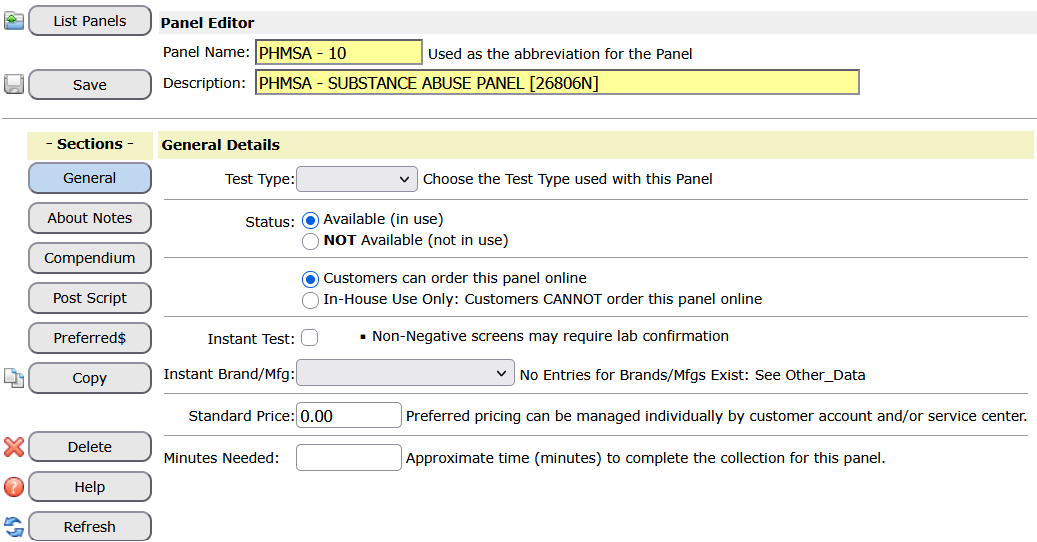
When defining a panel in DrugTestNetwork, users should reference the laboratory’s specifications for the exact panel code being configured.
2. Comparing Panels With Similar Substance Lists
Consider these two additional Quest Diagnostics panels:
- 26806N — Substance Abuse Panel 10-50, OP2K, BR/BZ2, ALC, TS
- 26799N — Substance Abuse Panel 10-50, OP2K, BR/BZ2, TS
These panels have nearly identical drug-class lists, although 26806N also includes a urine alcohol test.
Some of their cutoff levels are different.
| Drug Class |
26806N Screen |
26799N Screen |
| Amphetamines |
1000 |
1000 |
| Barbiturates |
200 |
200 |
| Benzodiazepines |
200 |
200 |
| Cocaine Metabolites |
300 |
300 |
| Marijuana Metabolites |
50 |
50 |
| Methadone |
300 |
300 |
| Methaqualone |
300 |
300 |
| Opiates / Codeine-Morphine |
2000 |
2000 |
| Phencyclidine |
25 |
25 |
| Propoxyphene |
300 |
300 |
All values are in ng/mL.
Although the screening cutoffs shown above are the same, the confirmation cutoff for Methaqualone differs:
| Panel Code |
Methaqualone Confirmation Cutoff |
| 26806N |
200 ng/mL |
| 26799N |
300 ng/mL |
This demonstrates why the laboratory panel code is important.
Even when two panels contain the same substances and use the same screening cutoff levels, their confirmation cutoff levels may differ.
A user should not copy an existing panel definition and assume that its cutoff levels are appropriate for another laboratory panel code.
3. Defining a Standard Panel Without Expanded Substances
Once the laboratory panel code and testing specifications have been identified, the next consideration is how the substances should be represented in DrugTestNetwork.
Many laboratory panels contain primary drug classes with multiple individual substances identified for confirmation testing.
Using Quest panel 67643N, a standard DTN panel could contain the following entries:
| Substance |
Screen Cutoff |
Confirmation Cutoff |
| Amphetamines |
500 |
— |
| Cocaine Metabolites |
150 |
100 |
| Marijuana Metabolites |
50 |
15 |
| MDA-Analogues |
500 |
— |
| Opiates |
2000 |
— |
| Opiates (Semi-Synthetic) |
300 |
— |
| 6-Acetylmorphine |
10 |
10 |
| Oxycodones |
100 |
— |
| Phencyclidine |
25 |
25 |
All values are in ng/mL. A dash indicates that the laboratory specification provides individual confirmation analytes rather than a class-level confirmation cutoff.
This configuration represents the primary drug classes without listing every individual confirmation substance.
When all test results are negative, a concise list is generally easier to read and review.
For example:
| Substance |
Result |
| Amphetamines |
Negative |
| Cocaine Metabolites |
Negative |
| Marijuana Metabolites |
Negative |
| MDA-Analogues |
Negative |
| Opiates |
Negative |
| Opiates (Semi-Synthetic) |
Negative |
| 6-Acetylmorphine |
Negative |
| Oxycodones |
Negative |
| Phencyclidine |
Negative |
This is particularly useful for subscribers processing large numbers of routine negative results.
Advantages of a standard panel:
- Shorter substance lists.
- Easier review of routine negative results.
- Fewer entries to manage during manual result reporting.
- Individual positive substances can be added through the result editor when necessary.
4. Defining an Expanded Panel With Individual Substances
An expanded panel includes the individual substances identified in the laboratory’s testing specification.
For the same Quest panel 67643N, an expanded definition would include:
| Substance |
Screen Cutoff |
Confirmation Cutoff |
| Amphetamines |
500 |
— |
| Amphetamine |
— |
250 |
| Methamphetamine |
— |
250 |
| Cocaine Metabolites |
150 |
100 |
| Marijuana Metabolites |
50 |
15 |
| MDA-Analogues |
500 |
— |
| MDA |
— |
250 |
| MDMA |
— |
250 |
| Opiates |
2000 |
— |
| Morphine |
— |
2000 |
| Codeine |
— |
2000 |
| Opiates (Semi-Synthetic) |
300 |
— |
| Hydromorphone |
— |
100 |
| Hydrocodone |
— |
100 |
| 6-Acetylmorphine |
10 |
10 |
| Oxycodones |
100 |
— |
| Oxymorphone |
— |
100 |
| Oxycodone |
— |
100 |
| Phencyclidine |
25 |
25 |
All cutoff levels are in ng/mL. Bold entries identify the primary drug classes or separately screened substances.
This expanded definition preserves the laboratory’s distinction between the initial screening cutoff and the confirmation cutoff of each individual substance.
For example, Methamphetamine has a confirmation cutoff of 250 ng/mL. It does not have a separate initial screening cutoff in this specification; the initial screen is performed at the Amphetamines class level.
An expanded panel is useful when a subscriber routinely needs to report individual confirmation substances.
However, including these additional entries may make routine negative result reporting unnecessarily lengthy.
5. Additional Expanded Substances in Non-DOT Panels
The Quest 26806N and 26799N panels provide another useful illustration.
Both include Barbiturates and Benzodiazepines, each with several individual confirmation substances.
Barbiturates
Screen cutoff: 200 ng/mL
| Individual Substance |
Confirmation Cutoff |
| Amobarbital |
200 |
| Butalbital |
200 |
| Pentobarbital |
200 |
| Phenobarbital |
200 |
| Secobarbital |
200 |
Benzodiazepines
Screen cutoff: 200 ng/mL
| Individual Substance |
Confirmation Cutoff |
| Alprazolam Metabolite |
200 |
| Oxazepam |
200 |
| Flurazepam Metabolite |
200 |
| Lorazepam |
200 |
| Nordiazepam |
200 |
| Temazepam |
200 |
| Triazolam Metabolite |
200 |
All values are in ng/mL, as specified for the example Quest panels.
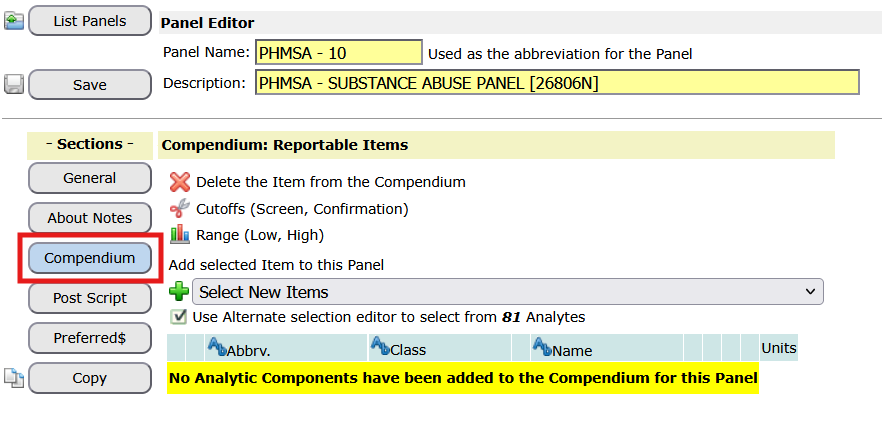
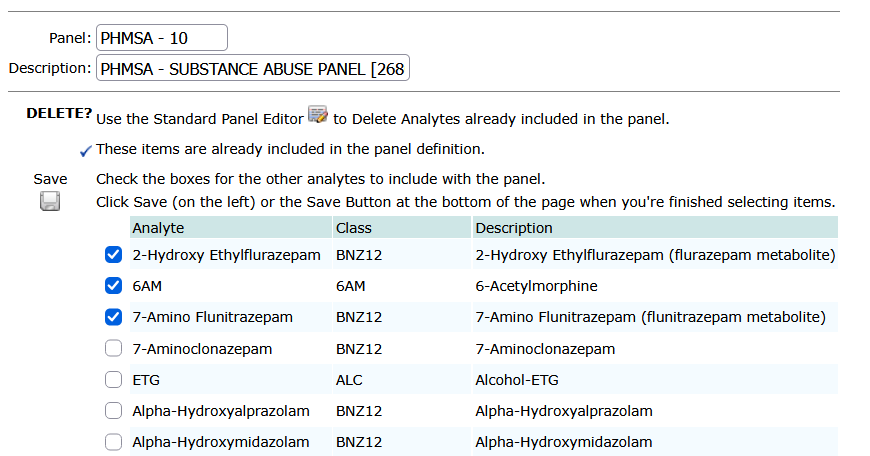
If these individual substances were added to the DTN panel definition, they would considerably expand the number of entries associated with routine results.
For users who primarily report negative results, defining Barbiturates and Benzodiazepines as primary drug classes may be more practical.
Individual confirmation substances can be added when needed.
6. Reporting Positive Substances Using a Standard Panel
A subscriber does not necessarily need to define an expanded panel to report individual positive substances.
Consider a DrugTestNetwork panel containing Amphetamines as a single entry.
If the laboratory reports:
Amphetamines: Negative
No additional entries are necessary.
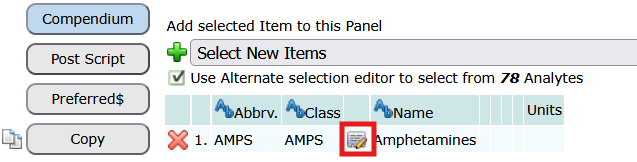
However, if the laboratory reports a confirmed positive result for Methamphetamine, the user can open the result editor and add Methamphetamine as an individual substance.
For example:
| Substance |
Result |
| Amphetamines |
Positive |
| Methamphetamine |
Positive |
If the laboratory also reports Amphetamine as positive, that substance can be added to the result as well.
| Substance |
Result |
| Amphetamines |
Positive |
| Amphetamine |
Positive |
| Methamphetamine |
Positive |
The results entered must agree with the actual laboratory findings and the MRO’s final determination, where applicable.
Adding an individual substance to a result does not change the laboratory panel specification or the cutoff levels used to perform the test.
This approach allows a subscriber to maintain a concise standard panel while reporting additional details when they are relevant.
7. Standard or Expanded: Which Should You Choose?
Both panel configurations can be useful.
| Consideration |
Standard Panel |
Expanded Panel |
| Primary drug classes |
Included |
Included |
| Individual confirmation substances |
Added as needed |
Predefined |
| Routine negative results |
Shorter listing |
More detailed listing |
| Reporting confirmed positives |
May require manual additions |
Individual entries available |
| Laboratory panel code |
Must match the tested panel |
Must match the tested panel |
| Laboratory cutoff levels |
Must reflect the specified panel |
Must reflect the specified panel |
The choice is primarily one of reporting convenience.
The laboratory panel code and its testing specifications remain important regardless of which reporting approach is selected.
8. Recommended Practices When Defining Panels
When defining or updating a panel in DTN:
- Identify the exact laboratory panel code. Use the code associated with the testing ordered from the laboratory.
- Review the laboratory’s specification. Verify the primary substances, individual confirmation substances, and cutoff levels.
- Enter the correct screening and confirmation cutoffs. Do not assume that another panel with the same substance list uses the same cutoff levels.
- Choose standard or expanded reporting. Decide whether individual substances should be predefined or added only when needed.
- Review the completed panel. Confirm that the definition corresponds to the intended laboratory panel code.
When copying an existing panel definition to create a new one, always verify the cutoff levels against the laboratory’s specifications for the new panel code.
Summary
A drug test panel is more than a list of substances.
Its laboratory code identifies a specific testing specification, including the substances tested and their screening and confirmation cutoff levels.
Two laboratory panels can contain the same substances but use different cutoff levels. Therefore, each DTN panel definition should correspond to the laboratory’s actual panel specification.
DTN also provides flexibility in how substances are represented for reporting.
A standard panel maintains a concise list of drug classes, while an expanded panel includes individual confirmation substances.
For many subscribers, a standard panel with the ability to add individual positive substances through the result editor offers a practical balance between accurate reporting and ease of use.
Regardless of the reporting approach, the laboratory panel code and its corresponding cutoff levels should always be verified against the laboratory’s published specifications.